Best PDF Remediation Pricing Calculator Tools
A remediation quote is one multiplication. Pages, times a rate per page. That is the entire calculator, which is why the calculator is the least interesting instrument in this article: both of its inputs are usually missing, and only one of them is the vendor's fault.
Of the ten tools below, one publishes a per-page rate. Three publish a seat or license price you can read without speaking to anyone, which prices capacity rather than work done. One ships an open core you can install and run before a salesperson knows you exist. The remaining five will not print a number until you have had the conversation. That distribution is the real state of this market, and it explains why so many backlog budgets get built in reverse: a quote arrives first, and the page count is bent to fit it.
The rate is the vendor's problem. The denominator is yours. A pricing calculator is only as good as the page count you feed it, sorted by the obligation attached to each document, and that is the number almost nobody has measured. Sort the backlog first and the arithmetic takes a minute. It also settles the shortlist, because the pricing models that cannot survive being converted into a cost per page tend to reveal themselves in the attempt.
The scale of the underlying problem is not in dispute: more than 90% of PDFs are not fully accessible, per Adobe research (Adobe, 2023). Most organizations are therefore pricing thousands of pages, not dozens. So each tool below is judged on how it charges, what that charge buys, and what you have to do to it before it becomes a number you can defend in a spreadsheet. The list opens with our own platform, stake declared.
The two numbers a remediation quote multiplies
Total cost equals pages times rate. The useful move is to stop treating that as one calculation and treat it as three, because a backlog is never one thing. Obligation is what varies, and obligation is what sets the tier.
Sort every page into one of three buckets. Internal-only material that has to be defensible but is read inside the organization. Published, public-facing documents that a citizen, student or patient will actually open. Legally sensitive files where governance requires a human signature on the result. Then apply the published rate for each bucket. Here is that arithmetic on a 10,000-page backlog:
Read the third row again. The 500 pages that need a human signature cost more than the 7,000 that do not. That is the whole reason segmentation beats a single blended rate: the shape of your inventory moves the total far more than any vendor's headline price does. Shift a thousand pages between buckets and the estimate moves by thousands of dollars, which is also why a vendor asking you to pick one tier for everything is quietly asking you to overpay for most of it.
For a sense of the alternative, the same 10,000 pages done by hand run $5–$25+ per page from specialist firms — $100+ per page for complex fillable forms — and that cost scales linearly with volume. At the bottom of that range the bill is $50,000. At the top it is $250,000. The gap between $12,600 and $50,000 is not a discount; it is a different labor model, and the sections below are largely a tour of which model each vendor is really selling you.
1. Accessibility On Demand™ (our top pick) — published per-page rates, three service levels
Full disclosure first: Accessibility On Demand™ is our platform. We are putting it at the top of our own list, so here is exactly where it fits and where it does not.
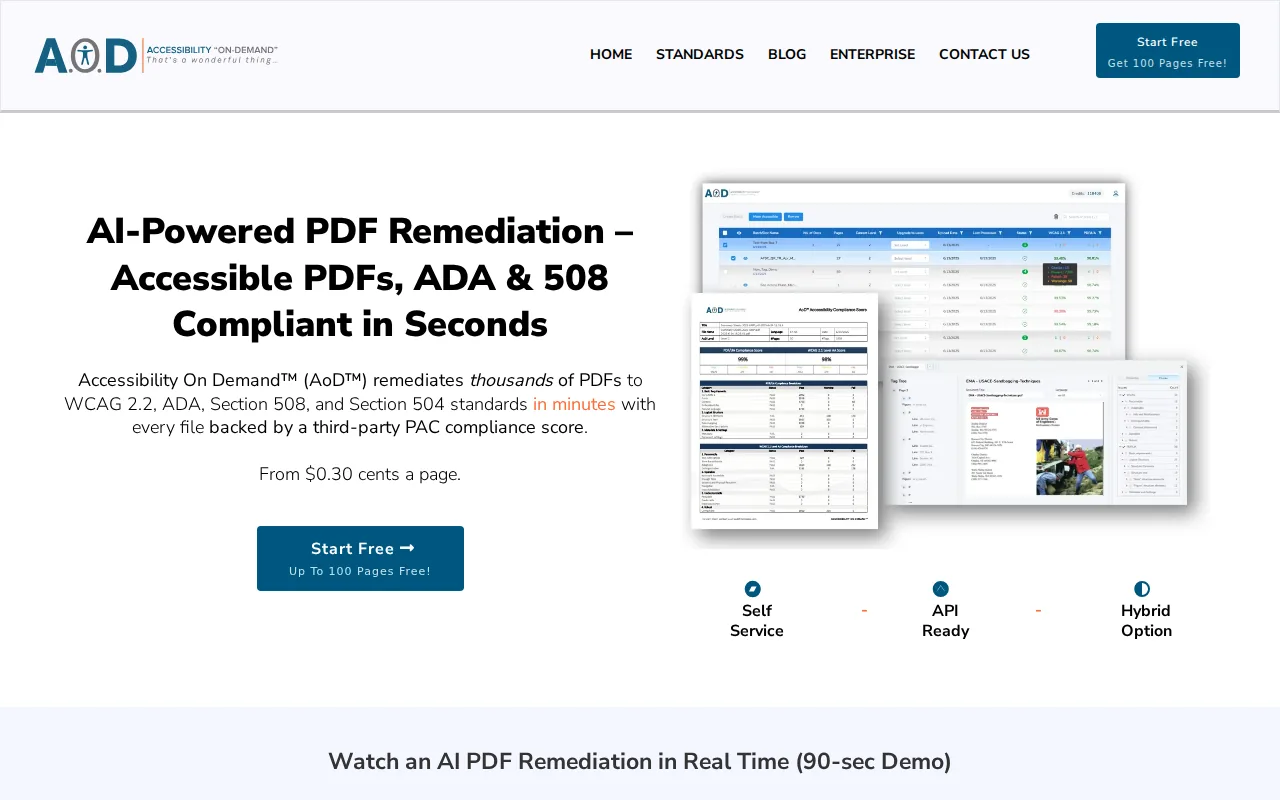
The category claim is automation rather than AI, and the distinction is an economic one. Most tools make a skilled specialist faster; AoD is built so most documents never reach a specialist at all. Deterministic processing handles the structural work that has a correct answer (tags, reading order, tables) and behaves identically on page 4 and page 400,000. Generative AI is used only where judgment is required, such as alt text, with output checkable in the Review Modal: reading-order visualization, tag tree and alt-text editing, where a person confirms that a document actually reads correctly.
Pricing is published openly — no quote gate. Three service levels, and they map onto the three buckets above:
- Standard (Level 1), $0.30/page. Text-based PDFs, internal archives, high-volume backlogs that need a clean, defensible baseline. Includes OCR on scans, automated tagging, logical reading order, basic image alt text, and a Compliance Score Certificate on every document.
- Enhanced (Level 2), $1.80/page. Public-facing documents. Adds contextual alt text for images and charts, advanced form-field tagging and configurable bookmarks. Level 2 targets a 95%+ WCAG 2.1 AA Compliance Score, verified by the PAC (Axes4) checker, and if a document doesn't clear 95%, you're not charged for it (rare source-document exceptions apply). Refinements happen in the Review Modal.
- Expert Review (Level 3), $12/page. Legally sensitive documents where governance requires human sign-off. Expert Review (Level 3) targets a 99% Compliance Score; full WCAG 2.1 AA + PDF/UA, human-verified.
The verification method is named rather than implied, which matters when the score eventually has to travel to an auditor. Every document is scored through the Axes4 PAC Checker API, and that score is computed, not asserted: checks passed divided by checks run, per standard. PAC (PDF Accessibility Checker) is maintained under the PDF/UA Foundation and hosted by axes4; the current release is PAC 2026. We're benchmarking 97%+ average compliance scores across production volume, verified through the Axes4 PAC Checker API. Treat any such number, ours included, as the floor, not the proof: a checker score is not a determination of ADA or Section 508 compliance and is not a legal defense on its own.
On volume, one figure, dated: 600,000 pages processed in May 2026, including a 50,000-page single-day run for one customer. API access is available for high-volume integrations, which is what turns remediation into a step inside a document pipeline rather than a queue beside it.
Now the limits, because they are the part a cost model needs. AoD is not the right buy for a handful of documents a year; below roughly a hundred pages a trained operator with a desktop license is cheaper, and the arithmetic says so before we do. Fillable forms are the hardest PDF type to remediate and are handled through the Review Modal today, where a person confirms field labels and tab order, with a fully automated forms pipeline expected in Q3 2026. And remediation is not redesign: AoD adds semantic structure and does not change contrast, fonts or layout, which is the honest reason real scores sit in the high 90s rather than a round 100. What the per-page rate buys is reading order and tag structure a screen-reader user can actually navigate, not merely the presence of tags. If you want to find the crossover point for your own volume, how manual and automated PDF accessibility remediation compare at scale works through it.
2. axes4 (axesWord & axesPDF) — tag at source, priced per user
axes4 attacks the cost problem one stage earlier than anything else on this list. axesWord tags documents at source, out of Word, so structure exists before a PDF is ever produced. axesPDF handles validation and correction at the PDF stage, and axesCheck is the web-based spot check. Both desktop tools are built tightly around PDF/UA and the Matterhorn Protocol, which defines the machine-checkable failure conditions behind PDF/UA, and the screen-reader preview is a genuinely useful feature for hearing what a document does rather than reading what it scored.
axes4 also maintains PAC, which is worth stating plainly given our own position: AoD's verification runs on the Axes4 PAC Checker API. Crediting them accurately matters more than the awkwardness of doing it inside a comparison.
On price, axes4 publishes per-user subscription rates and calculates enterprise licenses by organization size. That puts it in the minority here that lets you look up a number, and it is still a capacity price: what you need is the license plus the author's time, divided by the documents that author actually produces in a year. The limitation is scope. The desktop tooling is Windows-only, it is not built for high-volume mixed-type batch remediation, and axesPDF works best on documents that already carry a tag structure. For a backlog of scanned records it is the wrong instrument. For the documents your team will create next quarter it may be the cheapest line in this article, because a page tagged at source never enters the backlog you are trying to price.
3. Equidox (Onix) — zone-based remediation, licensed by concurrent user
Equidox is a SaaS tool where an operator draws or confirms zones on the page. The Smart Zone Detector applies computer vision to untagged and scanned PDFs, and zone templates carry structure across repeating layouts such as statements, agendas and forms. Table detection is a real strength, and the skill floor is low enough that a records clerk can work through a stack of similarly shaped documents without becoming a tagging specialist. It can also export HTML and EPUB alongside remediated PDF output.
Pricing is not published; licensing is annual and concurrent-user based. For a budget model that matters twice. You cannot look the number up, and when you finally have it, it prices seats rather than pages, so your effective cost per page only falls as fast as your operators get faster. The honest limit is shape rather than quality: throughput stays operator-bound and output quality tracks operator skill. Equidox makes skilled manual remediation faster; it does not remove it. At tens of thousands of pages the binding constraint becomes headcount, and headcount is the one line item that never benefits from a volume discount.
4. Adobe Acrobat Pro — the baseline desktop tool, priced per seat
Acrobat Pro is the environment most accessibility specialists learned on, and it is not really a competitor: the argument is with the labor model, not the software. Adobe publishes its subscription price, so this is one of the few entries where a number is available without a phone call. It is a seat price, though, which means the calculator you need is not Adobe's.
The built-in accessibility checker runs 32 categories, two of which always require manual review: logical reading order and color contrast. A tagged pass in Acrobat is therefore not a compliance verdict, and the tool says as much itself. Four tagging paths exist: the Reading Order tool, Create Tag from Selection, the Guided Actions wizard, and the cloud Auto-Tag capability. Auto-Tag produces better structure than the wizard but can leave heading-level gaps, an H1 followed directly by an H3, which fails WCAG 2.1 SC 1.3.1.
There is no native batch accessibility remediation, so every document is a separate manual job, and that is where the money actually goes. Manual remediation of a complex page commonly runs 15–30+ minutes. Multiply your loaded hourly rate by that range, multiply again by page count, and compare the result against a per-page rate before assuming the desktop route is cheaper. For one high-scrutiny document with a trained operator, Acrobat is the right environment, and the hybrid pattern is entirely legitimate: spot-check the hard documents here, route the volume through a pipeline. Across ten thousand pages, the seat price is the smallest number in the equation.
5. CommonLook (Allyant) — guided per-document workflow, quoted
CommonLook is a specialist per-document remediation suite. It runs on top of Acrobat and also standalone, its guided workflow maps directly to Section 508 and PDF/UA checkpoints, and it gives granular control over complex tables, mathematical content and form structure. The keyboard-driven tag-tree editing is the part specialists genuinely love, and the documented per-document trail is the paper a compliance office asks for when a decision is challenged.
Pricing is quoted rather than published, and the quote is not the whole cost, because an Acrobat license sits underneath it. Build the estimate as license plus Acrobat plus specialist hours, then divide by the documents one specialist finishes in a month. That is your real unit cost, and it will land well above any per-page platform rate. Read that as segmentation rather than defeat: CommonLook is right for the tens of documents that must survive line-by-line scrutiny, and wrong for thousands of pages of routine record. Throughput is bound to the person at the keyboard, and no licensing model changes that fact.
6. PDFix — developer-first and on-premises, priced in two halves
PDFix is the entry for teams that want remediation running inside their own infrastructure. Desktop Lite is a permanently free checker built on veraPDF validation, cross-platform across Windows, macOS and Linux, with full-folder batch validation added in the 2026 version; saved remediated output carries a watermark. Desktop Pro adds autotagging and full remediation editing at a published per-user annual price. The SDK embeds tagging in your own pipeline, with bindings for Python, C#, Java, C++ and Node.js, entirely on-premises, which makes it the natural choice when documents cannot leave the network.
PDFix is unusually candid about what it is: a technology provider rather than a service provider, whose automated output needs human checks. Credit that honesty, then price it. Only half the cost is published. Desktop licenses you can look up, SDK pricing is quoted by volume and deployment, and the half nobody quotes is the integration. An SDK is a project, not a purchase, so a defensible per-page number has to include your engineers' time on integration, tuning and QA, amortized across the documents the pipeline will process before somebody rebuilds it. Teams that model that get a real figure. Teams that model the license alone get a surprise in month four.
7. Continual Engine PREP — AI-assisted, multi-format, quoted
PREP is AI-assisted cloud remediation with a substantial education footprint. It covers PDF, Word and PowerPoint in one workflow and integrates with the learning management systems institutions actually run, including Canvas and D2L. For a university whose backlog is course material rather than public notices, multi-format coverage in one place can be worth more than depth in PDF alone, and that is a genuine reason to shortlist it.
On performance, the figure belongs to the vendor: Continual Engine cites roughly 90% auto-tagging with 95% accuracy. Treat that the way you should treat every number a vendor publishes about itself, ours included, since the only one that decides anything is the number your own documents produce. There is no published per-page rate and no published compliance-score target tied to a named external validator, which is a transparency gap that bites twice: once when you defend a budget line, again when you defend a compliance record. The workable route is a pilot. Run a segmented sample of your own files, then divide the quote by the pages the pilot actually cleared. That is how a quote becomes a rate.
8. DocAccess (CivicPlus) — an HTML transcript beside the original PDF
DocAccess belongs to a different category than everything above it, and pricing it as though it were PDF remediation is the mistake to avoid. It generates an accessible HTML transcript served alongside the original document, and the source PDF itself is never modified. It is inexpensive, needs almost no staff effort, appears constantly in municipal evaluations, and for routine content such as minutes, agendas and standard notices the transcript is often a better reading experience than the PDF ever was.
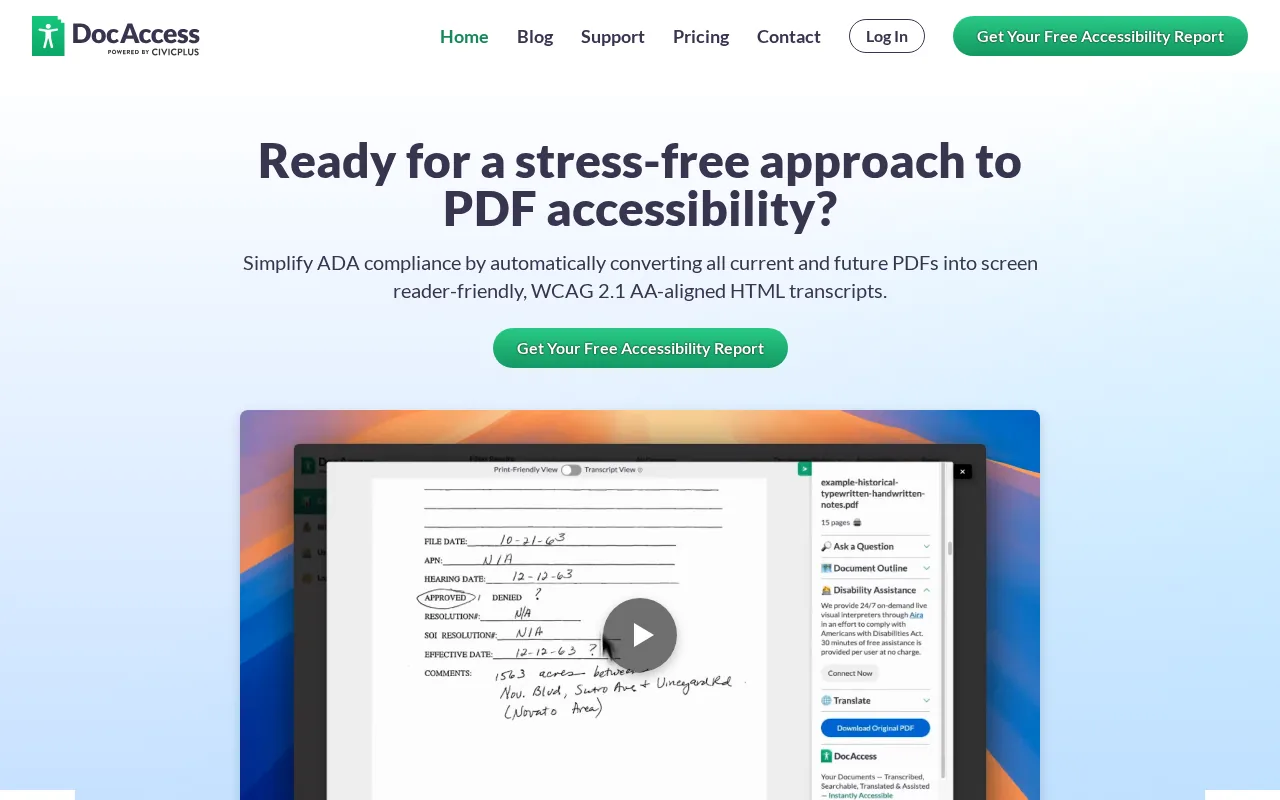
Pricing is quoted, and the unit is the document published rather than the page remediated, which makes it look dramatically cheaper than any per-page rate. Sometimes it genuinely is. The question that settles it is categorical: is the source PDF remediated, or is a presentation layer added on top? Where the obligation attaches to the published PDF itself, meaning forms, notices and documents of record, a transcript does not change what an auditor finds in the file. Hybrid patterns are legitimate and often optimal, with transcripts for commodity content and true remediation for documents of record. Price the two streams as separate lines, or the cheaper unit will quietly absorb documents it cannot defend.
9. Grackle PDF (GrackleDocs) — desktop tagging with a services arm behind it
Grackle PDF brings standards-compliant tagging, validation and repair into the desktop PDF workflow, implementing the full Matterhorn Protocol, which is what earns it credibility on complex tagging, tables and document batches. GrackleDocs pairs the software with a large remediation services team, and that pairing is why the entry belongs in a pricing article at all: it is the fast track for the one complex, time-critical document your staff cannot finish this week. You hand that document over instead of buying a bigger license.
Neither half publishes a price. The software is quoted, the services are quoted, and both arrive through the same request form, so the budget model needs two lines: a license for the routine work your team keeps in-house, and a service rate for the overflow it hands off. Two practical constraints belong in the estimate before anyone signs. The desktop tool is Windows-only, and there is a 50 MB file ceiling. Measure your own document set against that ceiling early, because scanned records and long illustrated reports cross 50 MB more often than people expect, and those files are usually the exact ones you were hoping to hand off.
10. Aelira — open core, so the first estimate costs only your time
Aelira takes the open-core route: the core is published under MIT and AGPL licensing, which means you can read it, install it, and point it at your own documents before a procurement conversation exists. Its footprint is higher education and the learning-management systems that carry coursework, and it is the only entry on this list that handles LaTeX and MathML. That last detail is narrow and it matters, because equations are where most remediation pipelines quietly stop: the mathematics arrives as a picture with nothing underneath it that a screen reader can speak. For a department sitting on a decade of STEM material, that is the difference between remediating the syllabus and remediating everything except the part the course is actually about.
Its budget role is the one this article keeps circling back to. An open core has no license line, so a first pass costs staff time and nothing else, and Aelira reports a confidence tier per fix rather than one pass-or-fail verdict for the document. Run it across a representative sample and the denominator starts sorting itself: pages it clears confidently, pages it flags for a human, pages it cannot reason about at all. Those three piles are the shape of your Standard, Enhanced and Expert Review lines before anyone has quoted you anything. The honest limitation is what a confidence tier is not. Aelira publishes no external validator target, so the tier is the tool's own assessment of its own work rather than an independent checker's finding. Use it to size the job, then have the pages that carry real obligation scored by an engine with no stake in the fix.
Comparison of the 10 pricing calculators
One of these ten publishes a per-page rate. Three publish a license or seat price you can read for yourself. One is open core, with no license to price at all. Five quote on request. The column doing the real work is the fourth one, because that is the step between a vendor's pricing model and a figure you can put in a budget.
Use the table as a first filter and then pilot the shortlist against your own documents, because every row in the fourth column is an assumption until your files test it.
How to choose the right PDF remediation pricing calculator
Four things about your situation decide which pricing model fits, and one thing about the vendor decides how hard it will be to price. None of the five is the calculator. Get them right and the calculator becomes a formality.
Volume, and where the crossover sits. Under a hundred pages a year, a desktop tool and a trained operator win, and we include ourselves in that. Past a thousand pages the arithmetic flips. Past ten thousand, only automation-first pricing stops total cost rising in a straight line with page count. Hold the manual anchor next to it: $5–$25+ per page from specialist firms, $100+ per page for complex fillable forms, scaling linearly with volume.
Document type, because it moves pages between tiers. Text-based PDFs with simple layouts are cheapest at any tier. Scanned pages need OCR before tagging can begin, and a text layer alone is not accessibility, which is why OCR accuracy is itself an accessibility requirement. Fillable forms are the hardest type: field labels, tooltips, tab order and structure need judgment that automation cannot fully apply yet, so a form belongs in the Enhanced or Expert Review line of your estimate rather than the Standard one. If forms are a large share of your inventory, make every vendor show you what SC 4.1.2 requires of field labeling and tab order on a form of yours, not one of theirs.
Internal capacity, converted into a rate. A seat price becomes a cost per page only after you divide it by the pages that seat clears in a year. Take the effort range above: one trained operator at 30 minutes a complex page, spending a thousand hours a year on remediation, clears roughly 2,000 pages. Add the license to that person's loaded cost, divide by 2,000, and compare the result with a per-page rate. The license is rarely what dominates. The hour is.
The standard you are accountable to. WCAG 2.1 AA is the version ADA Title II references, and AoD tests to 2.2 AA. PDF/UA (ISO 14289) is the practical implementation path for PDFs, and Section 508 and Section 504 obligations are covered by the same technical work. Under the ADA Title II web rule, compliance dates are April 26, 2027 for state and local entities serving populations of 50,000 or more, and April 26, 2028 for smaller entities and special district governments; the Department of Justice extended both dates by one year in April 2026. Those are planning context, not a countdown. The reason to start is that the documents exclude people today.
Pricing transparency, and what it predicts. A vendor that will not publish a rate is not necessarily expensive. It is telling you that cost depends on something it needs to look at first, and in this category that something is usually manual labor somewhere in the loop. Knowing that before the call changes what you ask for: the rate, the unit, and the throughput the unit assumes. With those three you can convert any model on this list into a cost per page, which is the only form in which these ten tools are actually comparable.
FAQ
What does PDF remediation cost per page?
Published per-page rates are rare enough to list in a line: Accessibility On Demand™ posts $0.30/page for Standard (Level 1), $1.80/page for Enhanced (Level 2) and $12/page for Expert Review (Level 3) with human sign-off. By comparison, manual remediation runs $5–$25+ per page from specialist firms, and $100+ per page for complex fillable forms. Almost everything between those two poles is quoted on request, so the honest answer stays a range until you have segmented your own backlog and know how many pages fall into each tier.
How do I calculate the cost of remediating my PDF backlog?
Segment first, then multiply. Sort the pages into internal-only material, published documents and legally sensitive files, count each segment, and multiply each count by the rate for the tier that matches it. The worked example above prices a 10,000-page backlog at $12,600 across three tiers, and note which row dominates: 500 pages needing human review cost more than 7,000 pages of internal archive. If you cannot count the segments yet, that is the actual first project, and a checker run across your published inventory will produce those numbers faster than a sales call will.
What's the difference between standard and enhanced PDF remediation?
Standard (Level 1) covers OCR on scans, automated tagging, reading-order correction and basic alt text: the defensible baseline for internal archives. Enhanced (Level 2) adds contextual alt text for images and charts, advanced form-field tagging and configurable bookmarks, and it targets a 95%+ WCAG 2.1 AA Compliance Score, verified by the PAC (Axes4) checker, with the rule that if a document doesn't clear 95%, you're not charged for it (rare source-document exceptions apply). The choice between them is not really about quality. It is about exposure: who reads this document, and what happens if it fails in front of them.
Do PDF remediation tools handle scanned documents?
Yes, with one condition worth checking in every demo: OCR has to be the first step of the same pipeline that adds the tags. A scanned PDF is a picture until OCR gives it a text layer, and a text layer alone is still not accessible, because searchable and accessible are different achievements. AoD runs OCR as the opening step of the pipeline that then applies tags, reading order and alt text, so both arrive together. Tools that treat OCR as a separate pre-processing project leave a gap between the text layer and the structure, and that gap costs money twice.
Is there a free PDF accessibility remediation trial?
The AoD free trial covers your first 100 pages, with no credit card required. PDFix Desktop Lite is a permanently free checker built on veraPDF validation, though saved remediated output carries a watermark. PAC 2026 is free as well, and it is the checker a compliance office is most likely to open. Most other tools here require a sales conversation before any access, which is the practical argument for using the free options first: they cost nothing and they produce the page count you need before you talk to anyone.
What compliance standard does PDF remediation target?
WCAG 2.1 AA, the version ADA Title II references, tested to 2.2 AA, plus PDF/UA (ISO 14289), whose machine-checkable failure conditions are defined by the Matterhorn Protocol. Together they cover the technical obligations sitting under ADA Title II, Section 508 and Section 504. Scores should always name their method: a PAC score is computed, not asserted, and the computation is checks passed divided by checks run, per standard. And a checker score is evidence of the machine-testable work rather than a legal verdict. It is not a determination of ADA or Section 508 compliance, and it is not a defense on its own.
Conclusion
Go back to the one multiplication. Pages, times rate. Nine of the ten tools above will make you work for the second number, and every one of them, ours included, will happily sell to you before you have established the first. That is the expensive half. A rate you cannot obtain is a procurement problem. A page count you never measured is a budget that moves every month, and it is the reason remediation programs get canceled halfway through rather than finished.
So run it in this order. Inventory, then segment by obligation. Convert every pricing model into a cost per page, including the seat prices and the engineering time nobody quotes. Then compare, and ask each remaining vendor which engine produced the compliance score you will one day hand to an auditor.
If you would rather have a real number from your own documents than an estimate built on someone else's, the free trial covers your first 100 pages with no credit card. Run 100 pages of your actual backlog, and choose the ugliest pages you have, because those are the ones that decide the total.