Best audit-defensible automated PDF remediation tools
The accessibility checker built into Adobe Acrobat runs 32 categories of tests. Two of them it will not decide: logical reading order and color contrast. It flags them, hands them to you, and declines to rule. Those two happen to be among the checks that most determine whether a document is actually usable by someone navigating it with a screen reader.
The industry-standard desktop tool, in other words, is careful to tell you that its own pass is not a verdict. Then a procurement process takes a vendor's compliance percentage, with no statement of which checks ran or who ran them, and treats it as one.
That gap is the argument of this list. A compliance score is only as defensible as the engine that computed it and the checkpoint set it ran against. Buyers shortlist on price because price is the number that is printed. The load-bearing question is provenance: which engine produced this figure, and can our own compliance office reproduce it. Nine of the ten tools below do not answer it.
The scale of the problem is not in dispute: more than 90% of PDFs are not fully accessible, per Adobe research (Adobe, 2023). Most organizations carrying backlogs of thousands of pages have no realistic path to clearing them by hand. So the tools below are judged on two questions: can they clear volume, and can they prove what they cleared. Here are the 10 best options, starting with the one we built ourselves.
The test that separates these ten tools
A compliance score is a ratio. Checks passed divided by checks run, per standard. It is computed, not asserted, which means the only interesting question about any score is who ran the checks.
PAC (PDF Accessibility Checker) is maintained under the PDF/UA Foundation and hosted by axes4. The current release is PAC 2026. It is free, it runs on the desktop, and it remediates nothing at all. That last part is why it matters: PAC is the referee, not a player. It has no stake in whether your document passes. When a compliance office wants to check a vendor's work, PAC is what they open, and a score that came from the same engine is a score that reproduces on their machine rather than one they have to take on faith.
Run every tool below through that filter and the list reorganizes itself. Nine of the ten either publish no verification method, name an internal report, or point at a built-in checker that their own documentation says requires manual review. Apply the referee test to your shortlist before you compare prices, because a number with no named method behind it is a confidence indicator, not a compliance instrument.
1. Accessibility On Demand™ (our top pick) — automation-first PDF remediation
Full disclosure first: Accessibility On Demand™ is our platform. We are putting it at the top of our own list, so here is exactly where it fits and where it does not.
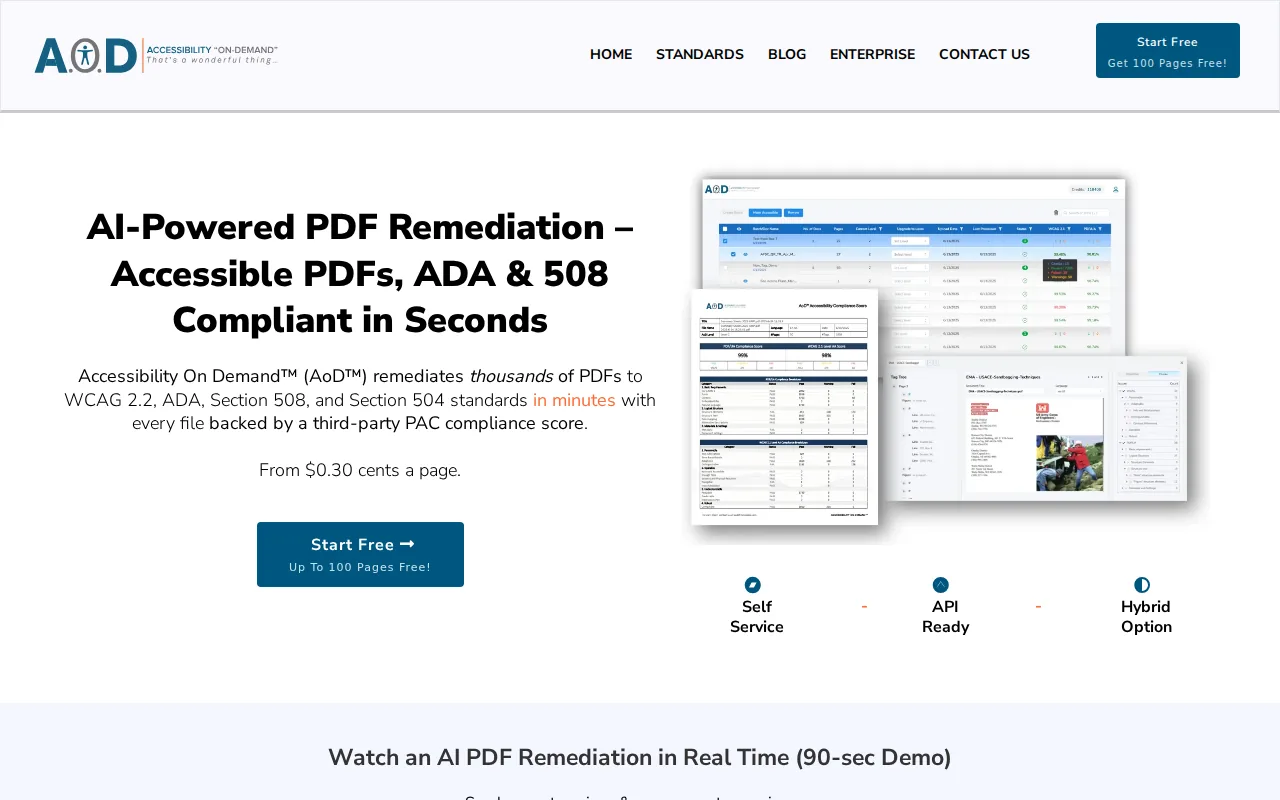
AoD™ does something most solutions in this space do not: it removes the manual remediator from the workflow rather than making one faster. The split is deliberate. Structural work that has a correct answer (tag hierarchy, reading order, table markup) runs through deterministic processing that behaves identically on page 4 and page 400,000. Generative AI is used only where judgment is required, such as drafting alt text, and its output is checkable by a person in the Review Modal before anything ships. That is also why the category claim is automation rather than "AI": consistency at volume comes from the deterministic half, not the generative one.
The Review Modal is where the honest answer to "who checks the machine?" lives. Reading-order visualization, the full tag tree, and alt-text editing sit in one interface, so a human confirms that a document actually reads correctly rather than merely scoring correctly.
On verification, we are benchmarking 97%+ average compliance scores across production volume, verified through the Axes4 PAC Checker API, the same validation engine behind PAC, the free desktop checker auditors actually run. Every document is scored and gets a Compliance Score Certificate. On throughput, the only volume claim we publish is the one we can stand behind: 600,000 pages processed in May 2026, including a 50,000-page single-day run for one customer.
Pricing is published openly — no quote gate. $0.30/page (Standard, Level 1), $1.80/page (Enhanced, Level 2), $12/page (Expert Review, Level 3). Level 2 (Enhanced) targets a 95%+ WCAG 2.1 AA Compliance Score, verified by the PAC (Axes4) checker — and if a document doesn't clear 95%, you're not charged for it (rare source-document exceptions apply). Refinements happen in the Review Modal. Expert Review (Level 3) targets a 99% Compliance Score; full WCAG 2.1 AA + PDF/UA, human-verified. API access is available for high-volume integrations, so remediation can run inside a document pipeline rather than beside it as a separate manual queue; the AoD API integration model is built for exactly that placement.
Now the limits. AoD is not the right buy for a handful of documents a year: at that volume a trained operator with a desktop license costs less, and any honest spreadsheet will tell you so before we do. Fillable forms are the hardest PDF type to remediate; they are handled through the Review Modal today, where a person confirms field labels and tab order, with a fully automated forms pipeline expected in Q3 2026. And remediation is not redesign: AoD adds semantic structure and does not change contrast, fonts, or layout. That scope boundary is the honest reason real scores sit in the high 90s rather than a round 100.
2. Adobe Acrobat Pro — the baseline desktop tool
Adobe Acrobat Pro is the environment most accessibility specialists learned on. It is not really a competitor, and our argument is with the labor model rather than the software.
The built-in accessibility checker runs 32 categories, and two of them always require manual review: logical reading order and color contrast. That detail is worth sitting with, because it means a tagged pass in Acrobat is not a compliance verdict. The tool itself tells you so. There are four tagging paths: the Reading Order tool, Create Tag from Selection, a Guided Actions wizard, and the cloud Auto-Tag capability. Auto-Tag produces better structure than the wizard, but it can generate heading-level gaps, jumping from H1 to H3, which fails WCAG 2.1 SC 1.3.1.
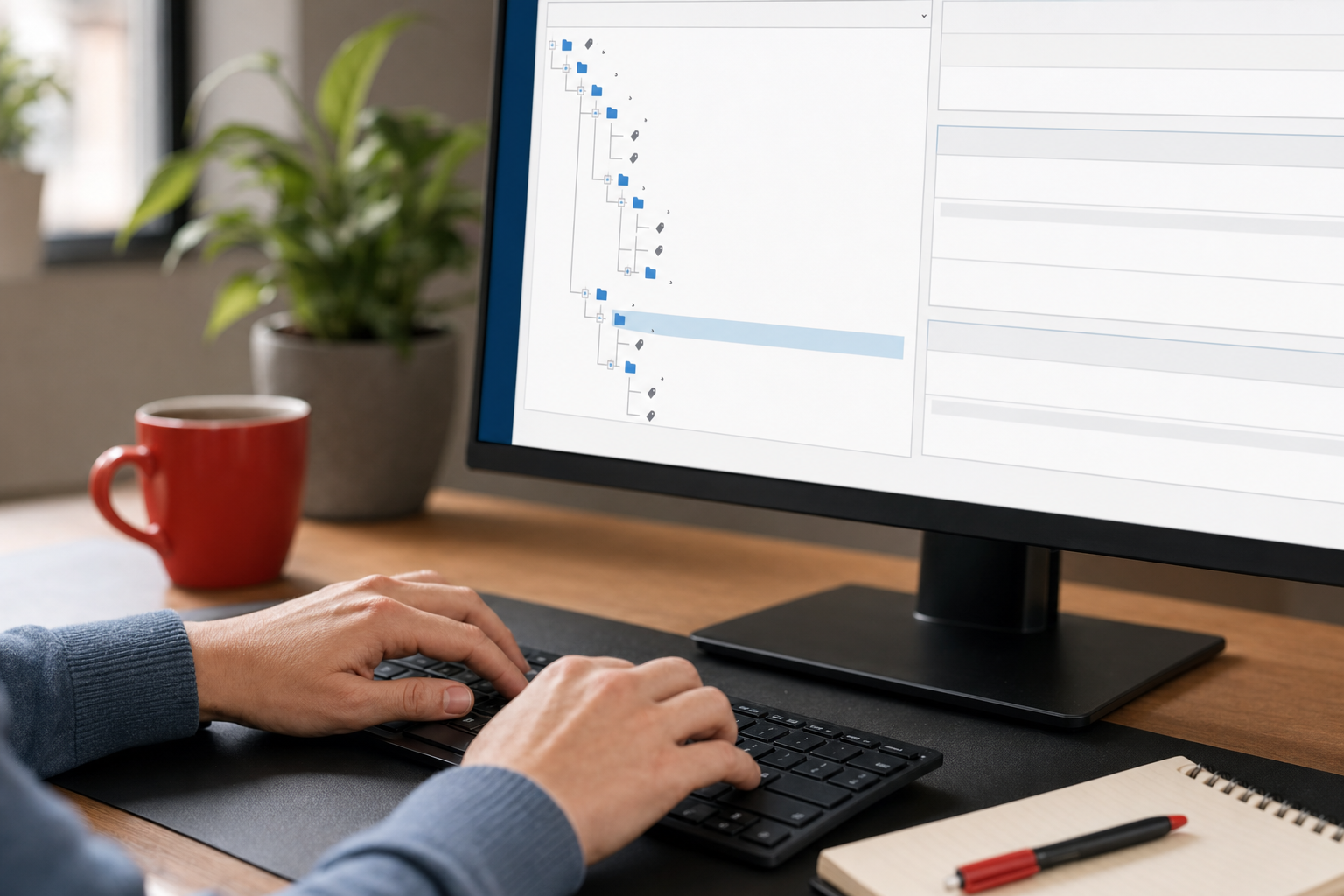
There is no native batch accessibility remediation. Each document is a manual job. For one complex document that is entirely appropriate. For a backlog of 50,000 pages the arithmetic stops working: manual remediation of a complex page commonly runs 15–30+ minutes, and that cost scales linearly with volume.
Worth knowing before you buy: Acrobat is sold as a per-seat subscription with no per-page rate, which makes backlog budgeting an estimate rather than a calculation. Right tool for a trained specialist working document-by-document on high-scrutiny material. Wrong shape for clearing a large backlog at a predictable cost.
3. Equidox (Onix) — zone-based, semi-automated remediation
Equidox is a SaaS tool where an operator draws or confirms zones on the page. The Smart Zone Detector uses computer vision on untagged and scanned PDFs, and zone templates carry structure across repeating layouts such as statements, agendas, and forms, which makes it genuinely useful on templated document sets. It can also export HTML and EPUB alongside remediated PDF output. Table detection is a real strength.
For a non-specialist working through a stack of similarly structured documents, Equidox lowers the skill floor considerably. That matters in municipal and education environments where dedicated accessibility staff are scarce, and it is a fair reason to choose it.
The limit is shape rather than quality. Throughput stays operator-bound and output quality tracks operator skill: Equidox makes skilled manual remediation faster, but it does not remove it. Pricing is annual concurrent-user licensing, quoted rather than published, which is a gap when you are defending a number to a budget committee. For backlogs measured in hundreds of thousands of pages, the per-operator ceiling becomes the binding constraint.
4. CommonLook (Allyant) — guided per-document workflow
CommonLook is a specialist per-document remediation suite that runs on top of Acrobat and also operates standalone. Its guided workflow maps directly to Section 508 and PDF/UA checkpoints, and complex tables, mathematical content, and form structure all get deliberate, documented treatment. The keyboard-driven tag-tree editing is the part specialists actually love.
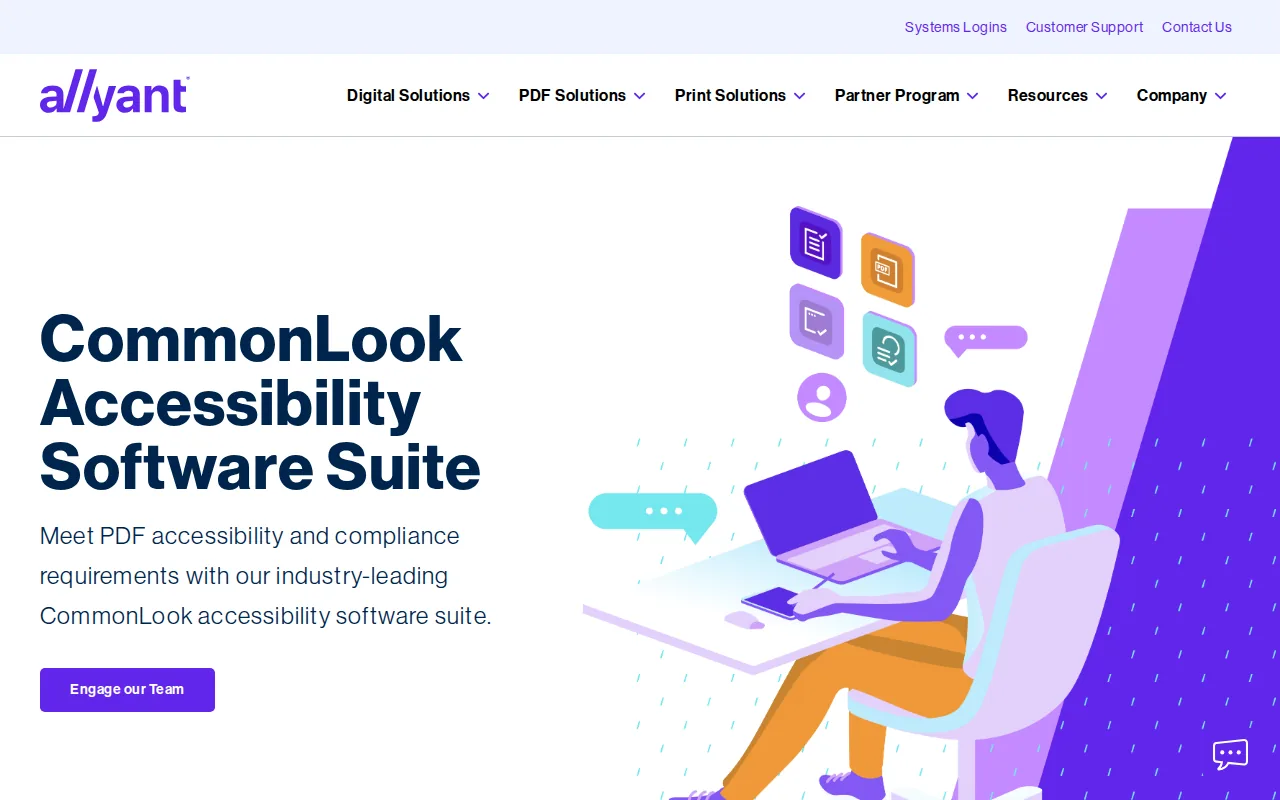
The audit-defensibility story here is real, and it is the closest thing on this list to AoD's own position: the workflow produces a matching accessibility report alongside the remediated file, which is the paper trail compliance offices ask for. For low-volume, high-scrutiny work with trained staff, it is hard to beat.
The caveat is throughput bound to the person at the keyboard, plus an Acrobat license requirement and pricing that is quoted rather than published. Think of it as coexisting with automation platforms rather than competing with them: route your highest-risk documents of record here, and send the rest through a batch pipeline.
5. axes4 (axesWord & axesPDF) — tag-at-source authoring and PDF/UA validation
axes4 approaches the problem from the other end. axesWord tags at source from Word, and axesPDF handles validation and correction at the PDF stage, both built tightly around PDF/UA and the Matterhorn Protocol. axesCheck is the web-based spot check. If your pipeline mostly generates native PDFs out of authoring tools, fixing structure upstream is cheaper than repairing it downstream, and this is the tightest authoring-to-compliance desktop pipeline for Word-origin documents. The screen-reader preview is a genuinely useful feature.
axes4 also maintains PAC, which is worth stating plainly given our own position: our verification runs on the Axes4 PAC Checker API. We are measuring our output with an engine a company on this list built. That is not a conflict. It is the point: the referee should not be on either team's payroll for the score to mean anything.
The limitation is scope. The desktop tooling is Windows-only and is not built for high-volume, mixed-type batch remediation, and axesPDF works best on documents that already carry a tag structure. For scanned images, complex mixed layouts, or backlog clearing, it needs to be paired with something else.
6. DocAccess (CivicPlus) — HTML transcript beside the original PDF
DocAccess generates an accessible HTML transcript served alongside the original PDF, and leaves the source PDF unchanged. Integration is a JavaScript snippet or cloud storage, which fits the technical capacity of most local government offices. It is inexpensive, needs almost no staff effort, and for routine municipal content such as meeting minutes, agendas, and standard notices, the transcript is often a better reading experience than the PDF ever was. That explains why it shows up so often in municipal evaluations.
The category question is the one to settle before signing: is the source PDF remediated, or is a presentation layer added on top? If the obligation attaches to the published PDF itself (forms, notices, documents of record), a transcript does not change what an auditor finds in the file. This is not a knock on the tool so much as a scoping decision, and hybrid patterns are legitimate: transcripts for commodity content, true remediation for documents of record. Pricing is quoted on request.
7. Grackle PDF (GrackleDocs) — desktop PDF/UA tagging and repair
Grackle PDF brings standards-compliant tagging, validation, and repair into the PDF workflow, integrating the full Matterhorn Protocol to handle complex tagging, tables, and batches of documents. GrackleDocs pairs the tooling with a large remediation services team, which is a practical answer for organizations that want software for the routine work and people for the overflow.
For teams that want hands-on control of tag structure with Matterhorn-level rigor behind it, the tool earns its place. The honest limitation is procurement visibility and scale shape: pricing is not published, the desktop tool is Windows-only with a 50 MB file ceiling, and no compliance-score target tied to an external validator appears on its public site. Measure your own document set against that 50 MB ceiling before committing, because scanned records and large reports cross 50 MB more often than people expect.
8. Scribe for Documents (Crawford Technologies) — high-volume automated remediation
Scribe for Documents uses Crawford Technologies' Augmented Document Remediation (ADR), which goes past plain OCR: it applies a graphical cleansing step to improve content clarity, then uses machine learning to identify headers, lists, tables, and formatting elements even when the source carries no explicit tags or font attributes. Crawford's heritage is high-volume transactional output, and that shows. Statements, invoices, and notices produced by the million are exactly the case where tagging at authoring time is not available and post-composition remediation is the only route.
If your backlog is transactional document streams rather than mixed public-facing PDFs, this is a serious option and the category fit is better than most of this list. Where its public profile is thinner: per-page pricing is not published, and no compliance-score target tied to an external validator appears publicly either. That transparency gap matters when the deliverable is audit-defensible output rather than processed output. The number that counts is the one your own documents produce, measured by a checker your compliance office recognizes, and that evidence needs to exist before the audit, not after. For what that record looks like in practice, see what happens when your compliance score meets an auditor.
9. Aelira — open-core AI remediation with confidence scoring
Aelira is an open-core accessibility platform (MIT and AGPL licensed) with a higher-education footprint. Its pipeline handles OCR, structure tagging, alt-text generation, table repair, and reading-order correction, and it covers formats beyond PDF, including LaTeX and MathML, a real differentiator for institutions with STEM course material that most PDF-only tools simply cannot read.
The design decision worth borrowing is that Aelira reports how confident it is in each fix. Document language and simple paragraph tagging come back as high confidence; complex table structures and reading order in multi-column layouts come back as medium. That is a more honest interface than a single composite number, because it tells a reviewer where to spend attention instead of implying the machine is uniformly sure.
Confidence is not the same as verification, though, and the two get conflated easily. A per-fix confidence rating is the tool's own estimate of its own work; a PAC score is an external measurement against a published standard. Aelira does not publish a compliance-score target tied to an independent validator, and service pricing is not published either. Strong fit for mixed higher-ed content, particularly where the open-core license and self-hosting matter. Budget the review time its own confidence tiers are telling you that you need.
10. Continual Engine PREP — AI-assisted remediation with an education footprint
Continual Engine PREP is AI-assisted, cloud-based remediation with a substantial education footprint. It covers more than PDF, handling Word and PowerPoint in the same workflow, and integrates with the learning management systems institutions actually run, including Canvas and D2L. For a university where the backlog is course material rather than public notices, multi-format coverage in one place is worth more than depth in PDF alone.
On performance, the figure belongs to the vendor rather than to us: Continual Engine cites roughly 90% auto-tagging with 95% accuracy. Treat that the way you should treat every number in this article that a vendor supplies about itself, including ours. The number that decides anything is the one your own documents produce, on your own hardest files.
The transparency gap is the honest limitation, and it is the same one that recurs across this list: no per-page pricing and no compliance-score target tied to a named external validator appear on the public site. That matters specifically when the deliverable is audit-defensible output. It is also worth knowing why round-number claims should make you pause wherever you meet them. Remediation adds semantic structure; it does not change contrast, fonts, or layout, because those are visual properties authored into the file, and contrast is one of the two checks Acrobat itself refuses to automate. A near-perfect score against a standard that includes contrast criteria is therefore measuring a narrower set of checks than a buyer usually assumes.
Good fit for a university or college consolidating mixed course formats under one workflow. Ask for the two artifacts you should ask every vendor here for, ours included: the name of the engine that validates the output, and a production volume figure with a date attached to it.
Comparison table: key attributes of the 10 solutions
How to choose the right tool for your backlog
Four variables decide the right pick: volume, document type, internal capacity, and the standard you are accountable to. Match the tool to those, not to the demo.
- Volume under 500 pages per year: A desktop tool with a trained operator is cost-effective. Automation platforms are priced for scale, and at low volume you are paying for capacity you will not use. We include ourselves in that: AoD is not the right buy for a handful of documents a year.
- Volume in the thousands to hundreds of thousands: You need published throughput data and verification on every document, not a sample. Manual remediation runs $5–$25+ per page from specialist firms — $100+ per page for complex fillable forms — and that cost scales linearly with volume. A 100,000-page backlog at those rates is a multi-million-dollar project that tends never to finish.
- Scanned documents in the mix: Confirm OCR runs inside the same pipeline that adds tags. A scanned PDF is a picture until OCR gives it a text layer, and a text layer alone is still not accessible. AoD runs OCR as the first step of the tagging pipeline, so "searchable" and "accessible" arrive together; Acrobat requires a separate OCR pass before remediation begins. For more on where that gap opens up, see why OCR accuracy is an accessibility requirement.
- Audit defensibility as a hard requirement: You need a named verification engine in the same sentence as every compliance score. Among the ten tools here, AoD is the only one that publishes both a per-page rate and the name of the engine that produces the score. Do not take that on our word: open each vendor's pricing and methodology pages and fill the column in yourself.
- Fillable forms in the backlog: The hardest document type, and where manual costs reach $100+ per page. Field labels, tooltips, and tab order need judgment that automation cannot fully apply yet — ours included, which is why forms run through the Review Modal today. Make any vendor show you how it handles field labeling and tab order under SC 4.1.2 on a form of yours, rather than claiming it does.
- API integration required: If remediation has to run inside an existing document pipeline instead of as a separate manual step, confirm there is a real API with documented batch submission and result retrieval. Most vendors on this list leave integration unspecified.
One piece of calendar context, stated once. Under the ADA Title II web rule, compliance dates are April 26, 2027 for state and local entities serving populations of 50,000 or more, and April 26, 2028 for smaller entities and special district governments — the Department of Justice extended both dates by one year in April 2026. The technical standard the rule references is WCAG 2.1 Level AA, which is why WCAG 2.1 AA is the bar worth measuring against (AoD tests to 2.2 AA). Those dates are context rather than a countdown. The reason to act is that inaccessible documents exclude real people today.
FAQ
What makes a PDF remediation tool audit-defensible?
A tool is audit-defensible when it produces a documented compliance record tied to a named verification method, not a pass/fail label. In practice that means a score from an engine an auditor recognizes — PAC or veraPDF — with element-level detail, the standard checked (WCAG 2.1 AA, PDF/UA), and a record of what was corrected. Two validators can disagree on interpretation, which is why running PAC and veraPDF together is the safer production practice. When an auditor asks, the answer should be a retrievable document rather than a verbal assurance. Tools that produce scores from a named independent validator on every file meet that bar; tools that produce only an internal report do not. One caution worth stating plainly: a checker score is not a legal verdict. It evidences the machine-testable work you did, which is a different thing from a determination of ADA or Section 508 compliance, and no vendor's score is a legal defense on its own.
How much does automated PDF remediation cost per page?
AoD™ publishes $0.30/page (Standard, Level 1), $1.80/page (Enhanced, Level 2), and $12/page (Expert Review, Level 3). Among the ten tools here it is the only one that posts a per-page rate at all; the rest quote on request, which makes it hard to build a backlog budget before procurement approval, and a quote-only model usually signals manual labor somewhere in the loop. For contrast, manual remediation from specialist firms runs $5–$25+ per page, and $100+ per page for complex fillable forms.
Can automated remediation handle scanned PDFs?
Yes, provided OCR is the first step of the same pipeline that adds accessibility tags. A scanned PDF is an image until OCR gives it a text layer, and a text layer alone is still not accessible — searchable and accessible are different achievements. AoD™ runs OCR and tagging in one pass so both arrive together. Platforms that treat OCR as a separate upstream project leave a gap between the text layer and the accessibility structure, and that gap is exactly what an auditor finds.
What is the difference between a compliance score and actual accessibility?
A compliance score, computed by PAC or veraPDF as checks passed divided by checks run, is the floor, not the proof. It confirms that the machine-verifiable structure is in place: tags, reading order, heading levels, alt text present. It does not confirm that a screen-reader user can move through the document without confusion, because plenty of things that are technically tagged are still incoherent to read. The final check is a person reading the document in NVDA, JAWS, or VoiceOver. Automated scores are necessary evidence. They are not sufficient on their own.
How fast can a platform clear a large PDF backlog?
It depends on architecture, and this is where vendors should be held to dated figures rather than adjectives. AoD™ processed 600,000 pages in May 2026, including a 50,000-page single-day run for one customer. Crawford Technologies' Scribe for Documents is built for high-volume transactional streams. Desktop tools are bounded by the person at the keyboard, typically 15–30+ minutes per complex page. For backlogs in the hundreds of thousands of pages, only platforms with documented batch throughput and real API access finish inside a planning horizon that matters.
Does automated remediation change the visual appearance of a PDF?
No. Remediation adds semantic structure (tags, reading order, alt text, form labels) that assistive technology reads. It does not change contrast, fonts, layout, or visual design, because those are authored properties of the file. That is precisely why honest compliance scores sit in the high 90s rather than a round 100: contrast and color ratios belong to the design layer, and the remediation layer does not touch them. A vendor claiming 100% compliance from automated remediation alone is measuring something narrower than what the standard covers, and it is fair to ask which checks were counted.
Conclusion
Go back to those two checks Acrobat will not decide for you. The tool everyone learned on is careful about the limits of what it can prove. The column that decides which vendor holds up under scrutiny is the one naming the engine that measured the work, and on this list of ten, nine leave it blank or fill it with their own report.
So ask three questions of any shortlist, in this order. Which engine produced the score. What volume have you processed, with a date attached. And can our compliance office reproduce your result on a document of ours. Price is the easy part; it is printed on the page. Provenance is what you are actually buying.
If you want to see what your own documents score before you commit to anything, the free trial covers your first 100 pages, with no credit card, and you get a compliance certificate you can hand to an auditor. Start with 100 pages of your real backlog, ideally the ugliest documents you have.